
Audit Ready Client Portal in 26 Weeks for Regulated Firms
Short answer
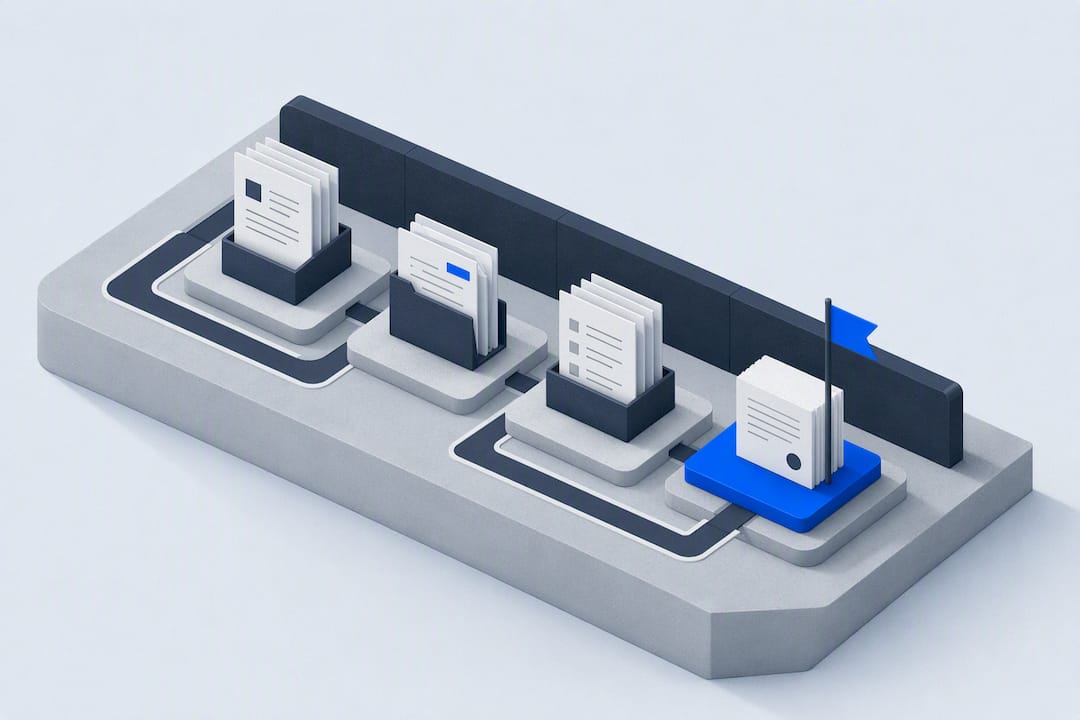
A client portal may need secure document exchange, case status and approval records, depending on the work. Map one client journey first, then decide which access, retention and review controls the portal actually needs.
A client portal may need secure document exchange, case status and approval records, depending on the work. Map one client journey first, then decide which access, retention and review controls the portal actually needs.
TL;DR:
- Building a client portal for regulated firms requires a structured approval and audit trail system, not just file sharing, with focus on version control and immutable logs.
- Proper workflow mapping involves engaging key stakeholders, analyzing representative cases, defining a canonical approval object, and setting clear decision rights and SLAs before development.
- Test the proposed approval routing, escalation and separation of duties against the workflow's actual review criteria. Record bypasses and unresolved exceptions rather than promising audit compliance.
- Choose and test a synchronisation method for the systems in scope. Check missing, delayed and duplicate approval updates and record which downstream actions remain paused on failure.
- Running focused pilots on high-priority engagements for 16 weeks helps firms refine workflows and scale while maintaining governance, with ongoing reviews to prevent control decay.
Table of Contents
- What does “build client portal” actually mean for regulated firms?
- How do you map workflows before building the portal?
- How do you design approval gates that pass an audit?
- How do you control data access for AI inside the portal?
- Why does integration matter more than the portal interface itself?
- How long does a client portal pilot take, and what does it cost?
- What ongoing governance keeps the portal audit-ready?
- What do practitioners get wrong when building these systems?
- How Pattrn Data helps you get this built properly
- Sources
What does “build client portal” actually mean for regulated firms?
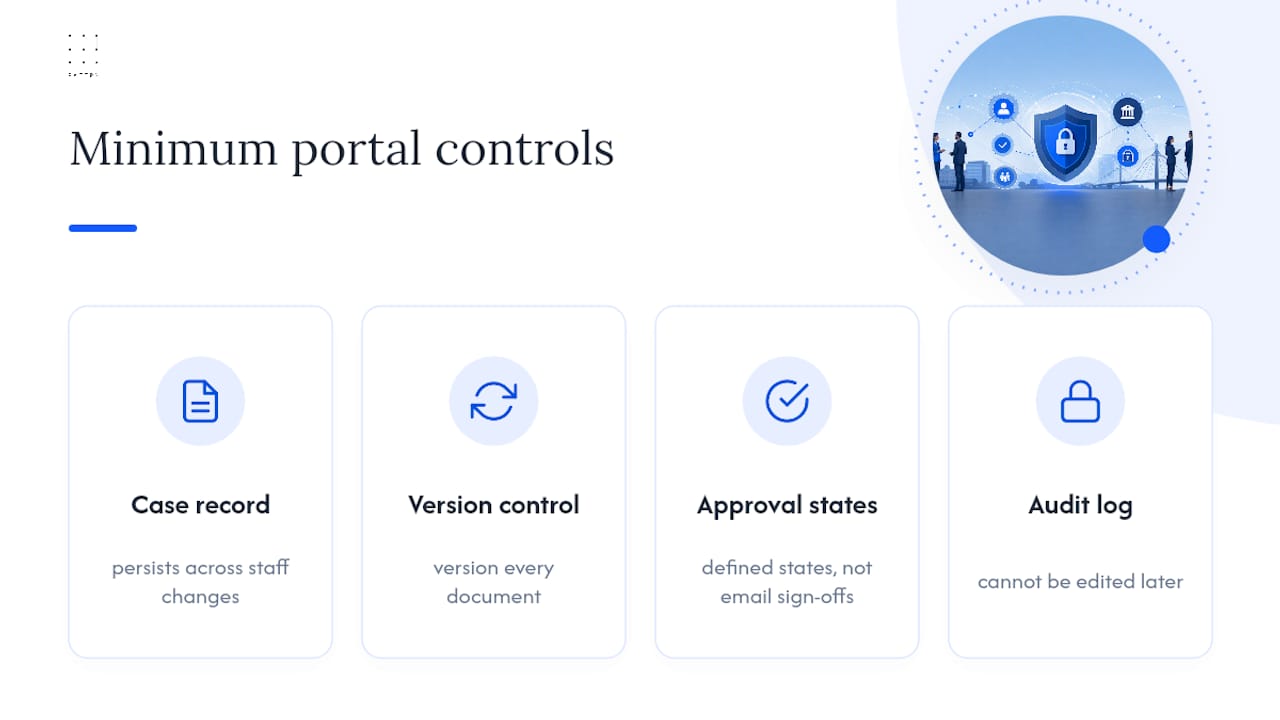
For an accountant, adviser or legal firm, a client portal can be more than a file upload page. Start by deciding which case records it should hold: who approved a step, when they approved it, and which document version they reviewed. Test whether a reviewer can follow that record without relying on a colleague’s memory.
Consider a persistent case record, document version history, defined approval states and a log of changes. Decide which controls each workflow needs and who will test them. The linked guidance discusses how to identify technology-driven quality risks early; it is not, by itself, proof that a particular portal meets a firm’s quality or audit requirements.
How do you map workflows before building the portal?
Map the workflow before configuring the portal. Walk through a completed case with the people who prepared, approved and reviewed it, and record where the evidence for each decision is held. Use that walkthrough to identify gaps to test in the pilot.
- Gather the right stakeholders. Include the person who actually does the work, the person who approves it, and whoever owns compliance for that service line.
- Trace 1 to 3 representative engagements end to end, from client onboarding to final sign-off, noting every handoff and every place work stalls.
- Define your canonical approval object. This is the single data structure that carries client, engagement, contract and status metadata through the whole process. A canonical approval object that every downstream system can reference is what stops your CRM, document store and billing platform drifting out of sync.
- Document decision rights and SLAs. Who can approve what, how long they have, and what happens when they miss the deadline or the case needs an exception.
The output of this stage should include:
- A data model naming every field the case record must carry
- Two or three example case flows showing the approval path from start to finish
- Draft KPI targets for cycle time and rework, which you will use later to judge the pilot
Keep the workflow map, approval policy and reporting requirements together during the pilot. At each handoff, check that the case record still points to the right document version and that the next owner can see what is waiting for them.
How do you design approval gates that pass an audit?
Define how an approval can be granted, declined, delegated or overridden. An authority matrix can record which role decides, under which conditions and in what order. Test the exception paths as well as the normal route, rather than assuming the configured gate cannot be bypassed.
Common patterns include:
- Role-based routing, where the case moves to whoever holds a given role rather than a named individual
- Escalation rules: define the response window, fallback approver and evidence to retain, then test missed-approval handling before relying on it.
- One-of, all-of or percentage-based approval, useful for higher-value engagements needing multiple sign-offs
The linked documentation describes authority matrix and decision table mechanics. If you use role-based routing, assign an owner for role membership and test absence, delegation and escalation cases before relying on the routing in day-to-day work.
Agree where preparation and approval must be separated for the workflow. Record any permitted self-approval or override, its reason and the person responsible for reviewing it. Test that the resulting record remains linked to the case. The applicable policy and audit criteria, not the presence of a routing feature alone, determine whether that control is sufficient.
Escalation tip: record the agreed target, owner and escalation route on the case. Test overdue flags and notifications, including failures, rather than assuming that a visible case age guarantees someone will act.
How do you control data access for AI inside the portal?
Before connecting an AI tool, classify the client data it could receive and record which uses are permitted. Check contractual restrictions, retention settings, provider data-use terms and the firm’s approval process. Keep client data out of the tool while those decisions remain unresolved.
Use the firm’s identity provider and role model where appropriate, then test access with representative users. Check both permitted access and denied access, including what happens when someone changes role or leaves. Review the permissions rather than assuming single sign-on enforces the intended case boundaries.
- Classify data before you connect any AI tool to it, using guidance such as which client data may enter AI tools
- Require human sign-off on any AI-generated output before it reaches a client, following clear rules on who should review AI output
- Log every AI-assisted step against the case record, not in a separate, disconnected tool
- Review your data boundary policy against a checklist such as client-data boundaries for professional services at least twice a year
Why does integration matter more than the portal interface itself?
Treat the interface and the integration design as separate parts of the pilot. Identify which system owns each approval state and how the portal, CRM, PSA and finance records should agree. Test a schema change or failed update to see how the team would detect and resolve a mismatch.
Define how updates should be coordinated around a persistent case record, then test the record against the connected systems. The linked IBM page is a broad topic index, not evidence that this design prevents drift or satisfies an audit. For the pilot, consider:
- An approval event should trigger billing and project activation automatically, not through a manual reconciliation step
- API updates should be event-driven and idempotent, so a retried request never creates a duplicate approval
- A dashboard tracking SLA breaches and an exception queue for anything stuck outside normal flow
For each downstream action, decide whether it should run automatically or wait for a person to review it. Document the trigger, the expected result and how finance or operations should handle a failed or repeated event.
How long does a client portal pilot take, and what does it cost?
Choose a small set of representative engagements with a defined bottleneck for the pilot. Agree entry criteria, a named owner and a point at which the team will decide whether to stop, revise or extend the workflow.
- Discovery and prototype (weeks 1 to 4): confirm the canonical data model and approval flows against real cases.
- Pilot build (weeks 4 to 10): implement the authority matrix, integrations and audit logging for the chosen engagements only.
- Measure (weeks 10 to 16): track engagement cycle time, request aging, approval turnaround, rework rate and user satisfaction.
- Refine and scale (weeks 16 to 26): fix what broke, then extend to further service lines.
The phases above are an illustrative planning sequence, not a delivery promise or a cost estimate. Confirm dependencies and acceptance criteria before setting dates. Estimate integration, approval configuration, testing and staff training against the selected workflow, and decide how progress will be measured.
What ongoing governance keeps the portal audit-ready?
Plan who will maintain the portal after the pilot. Set review points for access, approval rules and integrations, and record how staff should report a control that is not working as intended.
Name the owners for case flow, approval policy, access and integration security, and changes to the automation. Agree who decides when a change crosses those responsibilities. The linked discussion of connecting AI governance to workflow controls can inform that conversation; confirm the actual roles and review process with the firm.
Reconcile selected portal cases with the corresponding finance records and investigate mismatches. Use the linked documented case to frame questions for your checks, then record who will investigate discrepancies and how each one will be resolved.
- Agree and Test the Approval and Record Controls
- Reporting and analytics should feed back into the design, not sit unread
- Every change to approval logic needs its own change control record
- Reviewers need a standing checklist, not a one-time briefing
What do practitioners get wrong when building these systems?
For the pilot, choose a workflow narrow enough to inspect end to end. Document its approval logic and the evidence it should leave behind before extending it to other service lines. Treat expansion as a decision based on the pilot findings, not as proof that the same controls will fit every team.
Agree the shared case fields before connecting the systems. For each integration, identify how those fields map and who will resolve discrepancies. Test the mapping with example cases before using it to support a live approval decision.
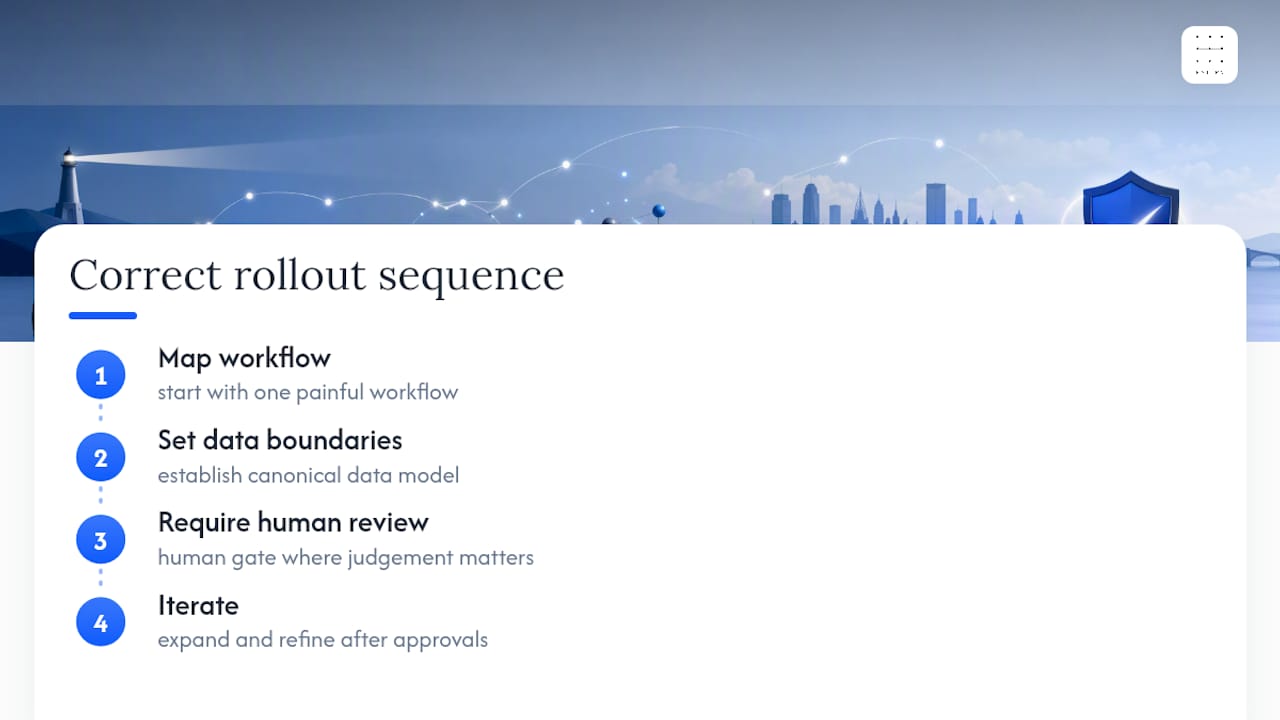
Use the pilot to test the sequence: map the workflow, define data boundaries, place human review where the work requires it, and revise the design from the results. Record what did not work and what must change before expanding the scope.
Rohit
How Pattrn Data helps you get this built properly
If you are considering an AI readiness assessment, agree what it should cover before work starts: the selected workflow, existing approval controls, unresolved data questions and a proposed pilot boundary. Confirm separately whether implementation or ongoing support is included. Record the agreed deliverables, exclusions and responsibilities before commissioning the work.

If approvals are spread across email and shared drives, first list the gaps the team needs to investigate. The page on controlled AI automation for professional services is a related starting point, not evidence that a particular engagement includes the controls or deliverables described here. Agree the next step and its outputs with the service owner.
Sources
Recommended
Related services
AI governance consulting
Create policies, approval routes, ownership and controls that teams can actually use day to day.
AI governance consultingAI workflow automation
Turn repeatable admin, client service and reporting work into controlled workflows with clear human review points.
AI workflow automation supportSecure AI implementation
Put privacy, supplier review, data boundaries, testing and staff guidance into the implementation plan from the start.
secure AI implementation