
6 Stages to Govern Case Management Workflows for Professional Services
Short answer
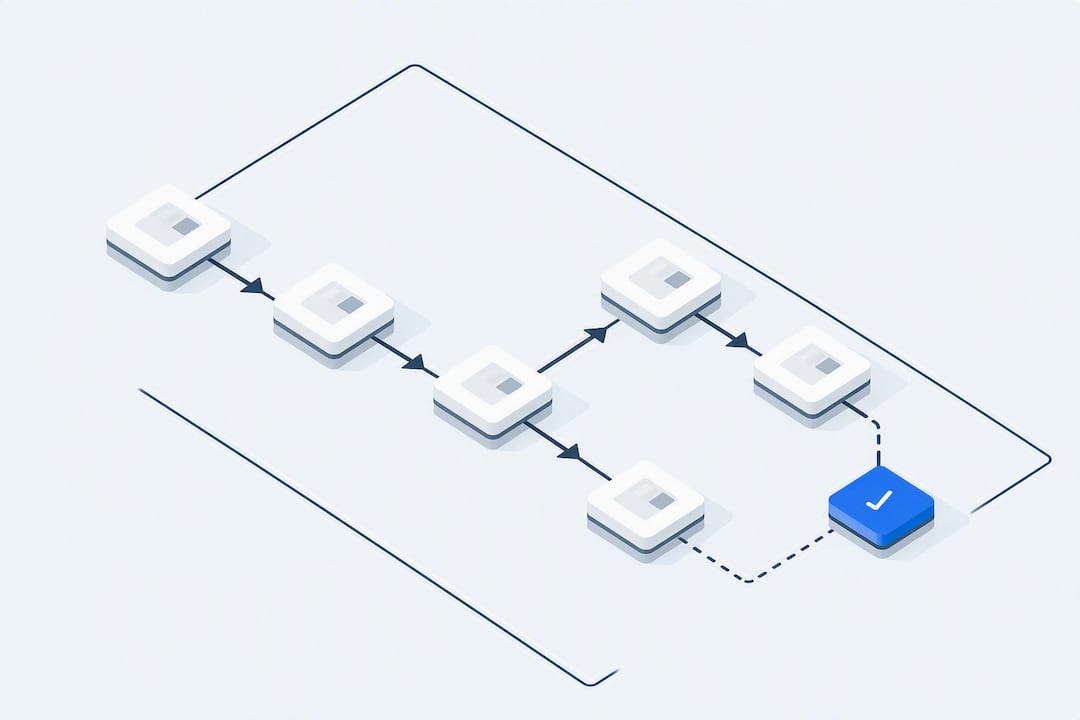
A case management workflow tracks an item of work from intake through evidence gathering, decisions and closure. It should show who owns each step and when the case can change course because new facts have arrived.
A case management workflow tracks an item of work from intake through evidence gathering, decisions and closure. It should show who owns each step and when the case can change course because new facts have arrived.
TL;DR:
- Map where casework needs judgement and where steps can follow fixed rules. A single case may include both.
- Successful implementation requires mapping existing processes, defining case types, assigning clear roles, and setting measurable success criteria before selecting any tools.
- Automation should focus on status updates and routing, while complex decision-making remains a human responsibility, with AI assisting only in non-critical, explainable tasks.
- Specify review authority, audit records and data boundaries, then check for workarounds and actions outside that authority during the pilot.
- Use a narrow pilot to compare outcome quality and administrative time with the current process before deciding whether to expand.
Table of Contents
- What is a case management workflow?
- Case management vs workflow management vs BPM: which one do you actually need?
- Stages in detail: what happens, who does it, and what you need on hand
- How to design a case management workflow for your organisation
- Tooling, automation and AI: what to trust and what to keep human
- Where case management workflows usually break, and how to govern them
- Perspective: what actually matters when you design this
- How Pattrn Data can help you build this safely
- Sources
- FAQ
What is a case management workflow?
A case brings together evidence, decisions and documents for an item of work. It may contain structured dates, statuses and form fields alongside emails, notes, supporting documents and changes in a client's circumstances. The workflow should keep those records connected and show which tasks or decisions are needed next.
This article uses six stages as a planning structure. Check them against the case types the firm handles and the linked description of the lifecycle:
- Intake: open the case, capture basic facts and screen for urgency and type.
- Assessment: gather evidence, weigh risk and record the scope of the problem.
- Planning: set out goals, tasks, owners and deadlines, involving the client where appropriate.
- Implementation: route tasks, carry out the agreed work and send approved communications.
- Monitoring: check progress against the plan and revise it when circumstances change.
- Closure: confirm the closing decision, document it and arrange any handoff or archive.
Allow the plan to return to assessment when new evidence arrives. For each case type, record the usual tasks, documents and decision points in a reusable roadmap, including who can change course and how the change is recorded. Use the roadmap as a starting structure; the handler still needs to check which tasks apply to the particular case.
Case management vs workflow management vs BPM: which one do you actually need?
Before choosing a platform, identify which parts of the work have a fixed sequence and which need a handler to assess new evidence. Check whether the proposed system supports both without forcing staff to keep important decisions in a separate inbox or spreadsheet.
The linked account, a comparison of BPM, workflow and case management, discusses differences in predictability. Treat the table below as a simplified contrast, not an exhaustive definition: a case may contain rules-based tasks, and a workflow may include exceptions and professional review.
| Dimension | Case management | Workflow / BPM |
|---|---|---|
| Structure | Loose, stage-based, reversible | Fixed sequence, usually linear |
| Predictability | Low, each case differs | High, same steps every time |
| Decision driver | Human judgement on evidence | Rules and conditions |
| Data | Mixed: documents, notes, evidence | Mostly structured fields |
| Tooling fit | Case management platform, flexible routing | Workflow engine, BPMN diagrams, orchestration tools |
For an investigative insurance claim, map evidence gathering and the decisions that can change the plan. For invoice processing, distinguish repeatable field checks from disputed invoices and approval exceptions. If considering Apache Airflow, verify its actual fit for the integration task; this article does not recommend it as the invoice approval interface or case-management system.
Ask handlers where the next step depends on evidence or professional judgement, and where a documented rule is sufficient. Record both in the design instead of assigning the entire process to one category.
Stages in detail: what happens, who does it, and what you need on hand
For each stage, agree the information, owner and decision needed to move on. The following checks are a starting point to adapt to the case type.
- Intake and screening. Define intake questions for urgency and type, including who raised the case, what is being requested and any immediate risk flags. Test whether that information lets the handler choose a next step; record missing details that would change the plan.
- Assessment. This is where evidence gets collected and risk gets weighed properly. Set clear referral rules here: at what point does a case get escalated to a senior adviser, compliance officer or specialist? Record who receives the referral and how a handler raises uncertainty about the case.
- Planning. The plan should be co-created with the client or stakeholder wherever possible, and it needs four things written down: goals, specific tasks, deadlines and named owners. Confirm that each named owner has accepted the task and can meet the deadline.
- Implementation. Tasks get routed to the right person or team, handoffs happen, and progress gets tracked against the plan. Check handoffs and deadlines explicitly, including in legal case management, where a missed deadline can have direct consequences for a client.
- Monitoring and reassessment. Set explicit triggers for revisiting the plan, a missed deadline, new evidence, a change in the client’s situation, rather than relying on someone remembering to check. Useful KPIs here include average time-in-stage and the proportion of cases reopened after an apparent close.
- Closure and transition. Closure needs a short handoff checklist: outstanding actions confirmed complete, documentation filed, and a brief note on what worked or didn’t for future cases of that type.
Pro Tip: Test the intake rubric and closure checklist on representative cases before configuring the platform. Check whether they capture urgent actions and unresolved work.
How to design a case management workflow for your organisation
Designing a workflow properly means resisting the urge to buy software first. Map, design, pilot, then iterate, in that order.
- Map current flows before touching any tool. Sit with the people actually handling cases and trace where decisions get made, where work stalls, and where information gets lost between systems or people.
- Define your case types. Identify the recurring categories in the firm's own work. For each type, use templated tasks and typical documents to build a draft roadmap. Check it with handlers before relying on it for live cases.
- Assign roles by function, not by person. “Whoever picks it up first” is not a role. Define who screens, who assesses, who approves escalations, and write clear rules for when a case moves up a level.
- Set measurable success criteria and service-level agreements. Decide what “on track” looks like for each case type before you launch, not after.
- Design your audit log and data boundaries at the same time as the process, not as an afterthought once something goes wrong.
- Pilot with a narrow cohort. Pick one case type, a small group of handlers, and run it for a fixed period before rolling out further.
Before the pilot, answer the ownership and record questions below. If consulting the CRM workflow discussion by Smarter Business, check which suggestions apply to casework rather than assuming a sales workflow transfers unchanged.
- Does every stage have a named owner and a maximum time-in-stage?
- Is there a single source of truth for case status, rather than three spreadsheets and an inbox?
- Can you produce an audit trail of who did what, and when, for any given case?
- Have you separated what a member of staff will decide from what a checklist or system will merely suggest?
If using the Pattrn Protocol or another checklist, check that it records data boundaries, review authority and unresolved decisions for the actual workflow. A named framework does not show that those questions have been answered.
Tooling, automation and AI: what to trust and what to keep human
Assess status routing separately from decisions based on document or message content.
For status routing, test what happens when a form moves a case to 'pending review', including incomplete or duplicate submissions. For routing based on document content, compare the proposed destination with a handler's assessment and decide which results need approval. Verify the selected platform's features and failure handling rather than assuming either route is low risk.
When evaluating a platform, check the following features against the case type and record which matter most for the pilot:
- A complete audit trail showing every action, actor and timestamp.
- Role-based access control, so people only see and edit what their role permits.
- Document linking that keeps evidence attached to the case rather than scattered across email and shared drives.
- Re-date cascades, so changing one deadline correctly shifts dependent deadlines rather than leaving them orphaned.
- Integration points for SSO/IAM, so access control ties into your existing identity systems rather than sitting outside them.
Possible AI tasks to test include summaries, triage suggestions, first drafts and extraction of facts from documents. Compare each result with its source and the handler's existing process. Keep final decisions, case closure and actions with legal or financial consequences behind an authorised reviewer during the pilot. Verify that the platform enforces that boundary; a routing feature does not establish the quality of a content-based suggestion.
Pro Tip: Ask the reviewer to check the evidence supporting a suggestion and whether the next action is permitted. A short explanation is not proof of accuracy or authorisation; test the underlying records and action controls.

Where case management workflows usually break, and how to govern them
During the pilot, look for decisions recorded outside the case system and routes that do not fit the evidence. Ask handlers why they used a separate spreadsheet or inbox: the cause may be a missing feature, an unclear handoff or an unsuitable rule. Record the observed problem before deciding whether to change the process or platform.
For the automation in scope, assess these review, data and action controls alongside any process or platform changes:
- Human review gates at every point where a decision has real consequence for a client or the firm.
- Clear data boundaries: what information an AI tool can see, and what it must never touch.
- A full audit trail for every case action, not just the automated ones.
- Approval-led steps for anything irreversible, closure, disbursement, formal advice.
- A fixed pilot scope with a defined end date and review point, rather than an open-ended rollout.
Measure outcome quality and administrative time during the pilot, and check for actions taken without approval. Record incorrect routes, missing records and the effort needed to correct them. Use those results to decide whether the pilot should expand, change or stop.
Perspective: what actually matters when you design this
Start with one case type and map the decisions that need a professional reviewer. In the pilot, measure follow-up rates and time to resolution alongside errors, reopened cases and administrative effort. Review those results with handlers before changing the scope or approving further automation.
Rohit
How Pattrn Data can help you build this safely
If considering Pattrn Data for casework design, agree which case type will be mapped and what the engagement will deliver: roles, data boundaries, review points and evidence records. Confirm whether the proposed scope includes an audit, Copilot or Copilot Studio design, implementation or ongoing support. Service names alone do not establish responsibility for each part of the workflow.

For a proposed engagement, define one case type, the data boundaries and review checks, and how administrative effort and outcome quality will be measured. Confirm the scope and destination of the linked enquiry before using it to book an AI audit. Keep approval of the workflow and client-data use with the firm's responsible reviewers.
Sources
Recommended
Frequently asked questions
What are the 7 steps of case management?
This article uses intake, assessment, planning, implementation, monitoring and closure. A firm can separate screening from intake where that decision needs its own owner or record. Check the stages required by the particular case type rather than treating six or seven as a universal standard.
What are the five steps of workflow management?
Design, model, execute, monitor and optimise can be used as a planning sequence. Apply it to the actual work, including exception routes and review decisions; it does not require every case or task to follow a straight line.
What is a case management process?
It’s the structured lifecycle a case moves through, from intake to closure, that lets a person collect evidence, plan a response and track progress on work that can’t be reduced to a fixed script.
How is case management different from workflow management?
Case management brings evidence and decisions together around an item of work. Workflow rules can handle repeatable steps within that case. Identify where judgement or an exception changes the next step before choosing a platform.
Can AI safely be used in a case management workflow?
Test summaries, triage suggestions and drafts against the originals before approving their use. Keep consequential decisions with an authorised reviewer, and define proportionate access and retention for an auditable trail . A review or log alone does not establish that the processing arrangement is appropriate for client material.
Related services
AI workflow automation
Turn repeatable admin, client service and reporting work into controlled workflows with clear human review points.
AI workflow automation supportAI governance consulting
Create policies, approval routes, ownership and controls that teams can actually use day to day.
AI governance consultingAI Risk & Efficiency Audit
Map real workflows, AI use, data exposure, opportunity value and governance controls before buying or building more tools.
book the AI Risk & Efficiency Audit