
Five Steps to Audit Ready Compliance Workflow Automation for SMEs
Short answer
Compliance workflow automation can record who completed each control, when it was reviewed and what evidence supports the decision. Choose the monitoring frequency by risk and map the owner and review point before automating a step.
Compliance workflow automation can record who completed each control, when it was reviewed and what evidence supports the decision. Choose the monitoring frequency by risk and map the owner and review point before automating a step.
TL;DR:
- Choose continuous or periodic checks according to the control's risk and activity; continuous monitoring can detect drift between review dates.
- Check data integration, ownership and logic that may break when inputs change.
- Start with a small pilot, include human review and assess the results before expanding.
- Consider rule-based, repetitive work such as control execution, due diligence, evidence collection, incident triage and remediation workflows.
- Check how integrations handle failure, name the workflow owners and retain audit trails for review.
Table of Contents
- What compliance workflow automation covers
- What benefits can you actually measure?
- Where does automation deliver the most value?
- How do you implement compliance workflow automation?
- What usually goes wrong, and how do you fix it?
- How do you prove compliance to an auditor?
- What should you require from tooling and integrations?
- Pattrn Protocol: a governance-first framework
- What actually makes automation durable?
- Ready to build an automated compliance workflow that holds up under audit?
- Sources
What compliance workflow automation covers
Compliance workflow automation takes a regulatory obligation, breaks it into discrete steps, and enforces the sequence, ownership and evidence trail behind each one. A workflow might cover a quarterly access review, a client due diligence check, or a data breach notification process. Each step carries a trigger (a date, an event, a threshold), an assigned owner, decision logic for what happens next, and a timestamped record of what was done and by whom.
The core building blocks are consistent across sectors:
- Control mapping: linking each regulatory obligation to a specific, testable control.
- Scheduling: setting when a control runs, whether that’s monthly, on a trigger event, or continuously.
- Role assignment: naming exactly who owns each step, not a team or department.
- Decision logic: the rules that route exceptions, escalations and sign-offs.
- Audit trail: a permanent, timestamped record of every action taken.
Distinguish continuous control monitoring from periodic evidence collection. A quarterly access review only tells you the state of things on the day it ran. Continuous control monitoring checks the same control on an ongoing basis, catching drift between review cycles rather than after the fact. Regulatory guidance from bodies such as the Financial Action Task Force increasingly favours this risk-based, ongoing approach over one-off checks, which shifts how automation should be designed from the start.
What benefits can you actually measure?
Measure whether automation reduces audit findings, speeds remediation and frees staff time for work that needs judgement.
Track four outcomes:
- Fewer audit findings: check whether consistent sequencing addresses gaps behind repeat findings.
- Faster remediation: issues surface through alerts rather than being discovered at the next audit cycle.
- Time reallocation: hours previously spent chasing evidence move to analysis and risk judgement.
- Reduced human error: check whether repeated steps run consistently across shifts.
Supervisory bodies increasingly frame this as an operational risk issue rather than a pure compliance one. The Basel Committee on Banking Supervision has highlighted that automation and better process design reduce operational risk, but only when it’s properly governed, with monitoring and resilience built in rather than bolted on afterwards.
Track “time to evidence” alongside completion rates. This shows how quickly someone can retrieve the audit trail, as well as whether tasks are complete.
Automation also frees compliance teams from repetitive evidence collection, shifting their time towards higher-value analysis rather than paperwork chasing, according to industry perspectives on where automation adds the most value.
Where does automation deliver the most value?
Assess repetitive, rule-based tasks where staff spend time collecting or routing evidence. Keep work that needs judgement under human review.
- Recurring control execution: access reviews, log reviews and patching checks that run on a fixed cycle and rarely need discretion.
- Vendor and third-party due diligence: collecting and refreshing evidence from suppliers on a schedule, with alerts when documents expire.
- Evidence collection for audits and certifications: pulling logs, screenshots and sign-offs into a single, timestamped record instead of a last-minute scramble.
- Incident triage and regulatory reporting: routing incidents to the right owner immediately and tracking reporting deadlines automatically.
- Remediation workflows: assigning fixes, tracking progress against a deadline, and closing the loop with evidence that the fix actually happened.
These tasks have largely fixed decision logic. Use automation to track steps and flag omissions, while keeping judgement with a reviewer.
How do you implement compliance workflow automation?
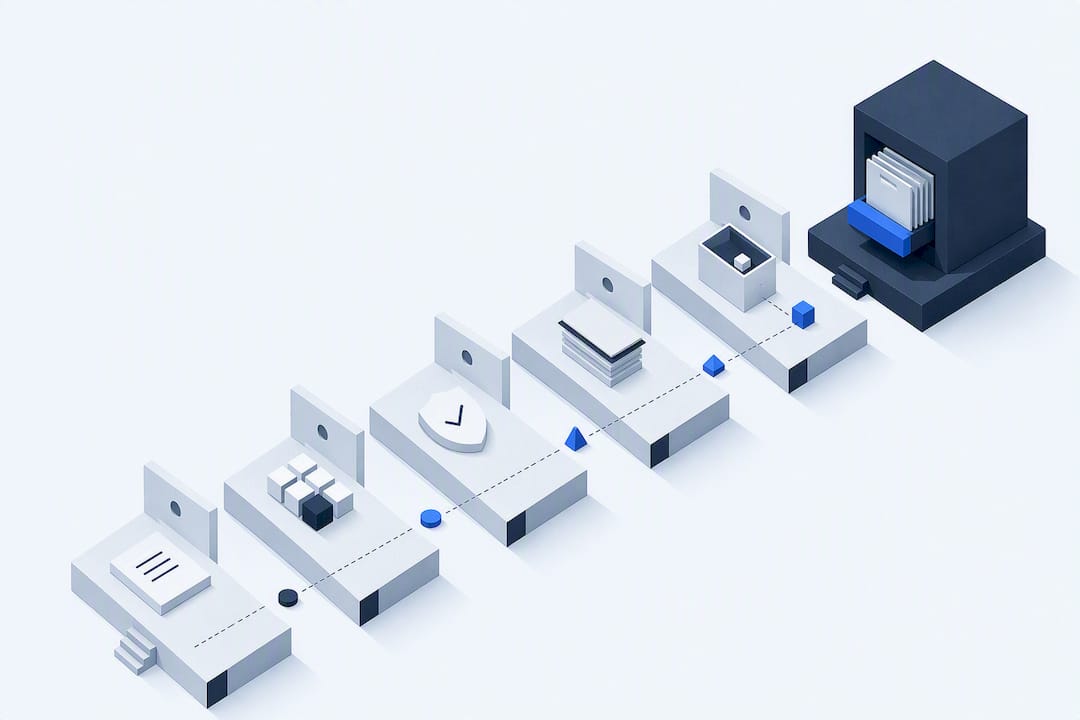
A five-stage sequence, map, pilot, automate, validate, scale, keeps the project controlled and gives you a natural point to stop if the data or ownership isn’t ready yet.
-
Map obligations to controls and assign single accountable owners. Start by listing every regulatory obligation relevant to your business, then linking each one to a specific control that satisfies it. Assign one named person to each control, not a team. Name the person responsible for reviewing exceptions and keeping the control current.
-
Classify tasks by automatable, hybrid, or manual, and set data boundaries. Some tasks are purely mechanical (chasing a document, logging a timestamp). Others need judgement at a decision point (assessing whether a vendor’s risk profile has changed). Mark each task accordingly, and decide upfront what data the automation is allowed to touch, where it can move, and where it must stay in place. Record these boundaries before designing the automation.
-
Design integrations, triggers and decision logic before you build anything. Work out what system holds the source data, how the workflow will be triggered (a date, an event, a threshold breach), and exactly what happens at each decision branch. Settle the triggers and decision branches before building the automation.
-
Start a small pilot with explicit human-in-the-loop review and a full audit trail. Pick one control, ideally one with clear, frequent activity so you get feedback fast, and run it with a human checking every automated decision before it’s finalised. Log everything: who reviewed what, when, and what they decided. This single control should never be allowed to sign off automatically until the pilot has proven itself.
-
Validate pilot outputs, monitor the metrics, and scale incrementally. Compare what the automation produced against what a manual review would have found. Track completion rates, exceptions raised, and time to evidence. Only widen the rollout once the pilot has run cleanly for a defined period, and add one control area at a time rather than switching everything on at once.
For the first pilot, choose a well-understood control below the highest-risk tier. Check how failures will be detected, reviewed and corrected before the pilot starts.
This sequence mirrors what Pattrn Data calls the AI risk and efficiency audit approach: map the work as it actually happens before deciding what to automate, rather than starting from the tool.
What usually goes wrong, and how do you fix it?
Review data quality, ownership and design assumptions when a workflow fails, as well as the technology.
- Fragmented data and poor connector coverage. If your source systems don’t talk to each other cleanly, the automation inherits that mess. Prioritise connecting your business data and cleaning it before building workflow logic on top of it.
- Unclear ownership. Shared or ambiguous ownership is a recurring theme in workflow failures, echoed in user feedback on process automation platforms that points to weak change management as a common cause of breakdowns after deployment. Enforce one named owner per control, always.
- Brittle automations. Logic built for one narrow case breaks the moment an input changes shape. Favour resilient logic with visibility into failures over rigid, single-path scripts.
- Privacy and data movement concerns. Moving sensitive data between systems to automate a step often creates more risk than it removes. Process data in place wherever possible, and limit transfers to what’s strictly necessary.
How do you prove compliance to an auditor?
Auditors want a specific kind of evidence: who did what, when, with what attached, and what the outcome was, not a narrative summary written after the fact.
A usable audit trail records the action, the timestamp, the person or system responsible, any attached documents, and the final outcome for every step in the workflow. Guidance from the GRC field draws a firm line between continuous control monitoring and scheduled point-in-time checks. Continuous monitoring suits high-risk, high-frequency controls where drift between review cycles is itself a risk. Scheduled checks remain appropriate for lower-risk, stable controls where quarterly or annual review is genuinely sufficient.
Alerting and escalation need to tie back to service-level agreements, not just fire a notification into an inbox that nobody owns.
| Metric | What it tells you | Typical review cadence |
|---|---|---|
| Completion rate | Whether scheduled controls are running on time | Weekly |
| Overdue tasks | Where ownership or capacity is breaking down | Weekly |
| Evidence health | Whether records are complete and attached correctly | Monthly |
| Exceptions raised | How often human judgement is needed at decision points | Monthly |
For firms building this out for the first time, structuring audit trails for AI-assisted workflows without relying on scattered spreadsheets is usually the single highest-leverage change to make early.
What should you require from tooling and integrations?
Before comparing features, check whether the tool integrates with the systems that supply your control data.
- Required integrations: APIs that expose the data you need, SSO and IAM compatibility so access control isn’t a separate project, event hooks, and connectors to your existing systems of record.
- Functional requirements: enforceable step order (not just suggested order), role-based task assignment, evidence export in a format an auditor can actually use, and a portal auditors can access directly rather than waiting on exports.
- Non-functional requirements: resilience when an upstream system changes shape, maintainability by your own team rather than a single specialist, encryption in transit and at rest, and clarity on data residency.
- Proof-of-concept criteria: test the minimal viable integration first, run human-in-the-loop testing on real cases, and estimate ongoing maintainability, not just initial setup effort.
Aggregated reviews of workflow and process automation products consistently name resilience and integration quality as the top vendor selection factors, ahead of feature breadth. That matches what tends to break in practice: brittle connectors and SSO mismatches cause more rollout failures than missing features ever do.
Ask the vendor how the workflow handles an unexpected change in an upstream data format. Test that behaviour during the proof of concept.
Pattrn Protocol: a governance-first framework
Pattrn Data built the Pattrn Protocol around one principle: map the work before you touch a tool, and keep a human accountable at every point that matters.
The framework runs on four elements that any team can borrow, regardless of who eventually builds the automation:
- Map every obligation to a control and a named owner before any automation design starts.
- Set data boundaries that define exactly what the automation can access, move, or touch.
- Human review gates at every decision point that carries real consequence if it’s wrong.
- Audit trails that log actions, timestamps, attachments and outcomes automatically, not as an afterthought.
A recent engagement applying this approach involved building a Medical Survey Copilot agent for a healthcare research client. The workflow needed to process patient survey responses without exposing identifiable clinical data to systems that shouldn’t hold it, while still producing a usable, structured output for researchers.
The design constraint wasn’t speed. It was proving, at every step, that no sensitive data left its approved boundary, and that a human had reviewed the output before it reached anyone downstream.
Engagements typically move through four phases: an AI clarity session to establish scope, an AI risk and efficiency audit to map the real workflow, pilot design with explicit review gates, and then implementation followed by an ongoing governance retainer. The controls worth copying regardless of who builds your system: one accountable owner per control, a “halt” function that stops automated processing when something looks wrong, and evidence tagging that attaches context to every record rather than leaving it as a bare log line.
What actually makes automation durable?
Before expanding automation, check that the process is mapped, the owners are named and data-quality issues are addressed.
Use the pilot to compare automated outputs with manual review and measure the result. Keep human judgement and an audit trail in the workflow. Address data-quality and ownership gaps before expanding to another control area.
Rohit
Ready to build an automated compliance workflow that holds up under audit?
Pattrn Data works through the same sequence this article describes: map your real obligations, run an AI risk and efficiency audit, design a pilot with human review built in, and only then scale. Use that sequence to define the workflow, review points and evidence your firm needs.

A short engagement typically produces three concrete things: your obligations mapped to specific controls, a pilot plan for the first automatable process, and a governance checklist covering audit trails, data boundaries and escalation paths. That’s the same groundwork covered in Copilot and workflow governance for professional services firms, applied to your own controls rather than a hypothetical.
If you’re not yet sure how ready your organisation is for this kind of automation, start with the AI Readiness Assessment for SMEs. Use the assessment to review data, ownership and controls before committing to a build.
Sources
For control mapping and monitoring frameworks, consult the Basel Committee’s guidance on operational resilience and the FATF’s risk-based approach to ongoing monitoring. Both set out principles that apply well beyond financial services.
Recommended
Related services
AI Risk & Efficiency Audit
Map real workflows, AI use, data exposure, opportunity value and governance controls before buying or building more tools.
book the AI Risk & Efficiency AuditAI workflow automation
Turn repeatable admin, client service and reporting work into controlled workflows with clear human review points.
AI workflow automation supportAI governance consulting
Create policies, approval routes, ownership and controls that teams can actually use day to day.
AI governance consulting