
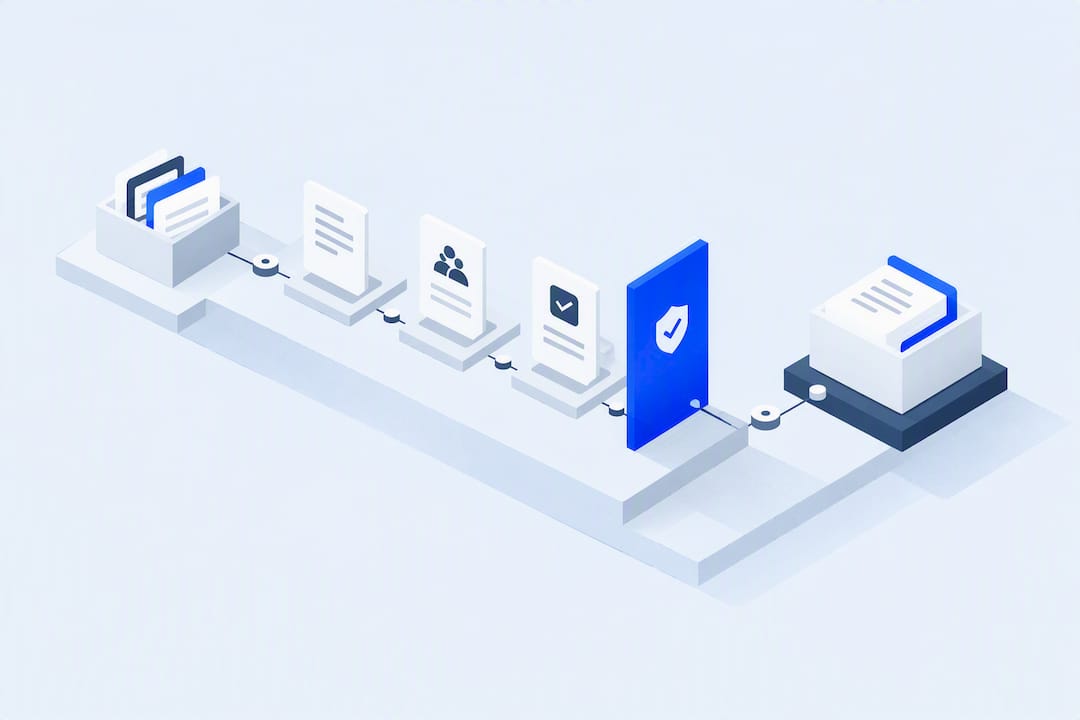
Copilot Studio can help with bounded tasks such as triaging queries against approved information or drafting follow-up for a person to check. Start with the data it may read, the actions it may take and the hand-off when it cannot answer.
TL;DR:
- Copilot Studio is effective for bounded tasks like invoice matching, ticket triage, and meeting follow-up, where inputs, outputs, and escalation paths are clear.
- Implementation requires mapping workflows thoroughly, choosing low-risk pilots, and involving IT, security, and compliance teams early to avoid governance issues.
- Capacity and quota limits, connector dependencies, and data governance are critical constraints that must be modeled before deployment.
- Measuring success involves establishing baselines and KPIs, such as handling time reduction and ticket deflection, and tracking these metrics within operational dashboards.
- Adoption relies on staff training that clarifies agent boundaries, trust-building through real case demonstrations, and ongoing feedback loops during the pilot phase.
Table of Contents
- Copilot studio use cases across business functions
- How to implement Copilot Studio: a governance-first sequence
- Limitations, quotas and governance you need to plan for
- Measuring value: blueprints, KPIs and baselines
- Run your first pilot: a short checklist
- Connecting Copilot Studio beyond the Microsoft ecosystem
- Getting staff to actually use the agent
- What is next for Copilot Studio and where the roadmap points
- Pattrn Data’s take on safe Copilot Studio adoption
- How Pattrn Data helps you pilot Copilot Studio safely
- Sources worth reading next
- FAQ
Copilot studio use cases across business functions
Most organisations picture Copilot Studio as a customer-facing chatbot. That undersells it. Microsoft’s own architecture guidance points to a much wider set of reference architectures and solution ideas spanning customer service, IT, HR, finance and document workflows, and the pattern that matters for professional services is narrower and more useful than a generic chatbot: an agent that gathers evidence, checks it against approved sources, and routes gaps to a named human.
Consider these use cases when choosing a task for the pilot.
-
Customer service triage and self-service. An agent answers routine account questions from approved knowledge sources and creates a support ticket automatically when it cannot resolve the query, tagging priority and category before a human ever sees it.
-
IT helpdesk intake and first-tier diagnostics. Password resets, access requests and common software faults get resolved or logged without a ticket sitting in a queue overnight. The agent asks the right diagnostic questions first, so the engineer who picks it up starts with useful context instead of “it’s broken.”
-
HR onboarding and policy Q&A. New starters ask about leave policy, benefits enrolment or IT setup at 9pm without waiting for an HR inbox reply the next morning. The agent handles the repetitive questions; a person still signs off contracts and sensitive decisions.
-
Finance workflows: invoice matching and anomaly triage. Copilot Studio can flag mismatched purchase orders, surface duplicate invoices, and draft reconciliation notes for a finance controller to review. Microsoft’s own examples show code-interpreter tooling auditing transactions and generating annotated reports. This is a genuinely useful pattern for finance teams drowning in spreadsheet reconciliation.
-
Document and meeting follow-up. An agent summarises a client call, extracts action items, drafts a follow-up email for review, and routes tasks to the named owner. This is one of the highest-value patterns for advisers and consultants who lose hours to post-meeting admin.
-
Field service and sales enablement. Engineers look up parts availability or installation guidance on-site; sales teams get personalised product recommendations pulled from approved catalogues rather than memory.
-
Legal and contract operations. An agent checks a contract against a clause library, flags deviations from standard wording, and routes anything outside tolerance to a named reviewer rather than approving anything itself.
-
Evidence-and-follow-up agents for document-heavy teams. This is the pattern professional services firms should pay closest attention to: an agent that pulls from approved sources only, identifies where evidence is missing or contradictory, and assigns the gap to a specific reviewer with a deadline, rather than attempting to close the gap itself. Pattrn Data’s Medical Survey Copilot case study is a working example of this pattern in a regulated context, where the agent’s job was to gather and flag, not to decide.
Keep each task bounded: identify its inputs and name the person who receives escalations. Define that scope before choosing how to build the agent.
How to implement Copilot Studio: a governance-first sequence
Skipping straight to “build the bot” is the single most common way pilots go wrong. Microsoft’s own getting-started guidance and its governance Q&A both point the same direction: map the workflow before you touch the tool.
- Map the workflow and decision points. Write down every step a human currently takes, including the ones nobody bothers to document because “everyone just knows.”
- Choose a narrow, high-volume, low-risk pilot. The best first agent is rarely the most ambitious one. Pick a task where inputs and outputs are explicit, and where a mistake is annoying rather than damaging.
- Identify approved knowledge sources and permissions. Decide exactly which documents, databases or connectors the agent can read, and who owns that list.
- Classify data residency and retention needs before a single agent touches client or patient data.
- Define actions, permissions, escalation rules and audit requirements. Every action the agent can take needs an accountable owner and a record of what happened.
- Build and test in a development environment, using representative inputs and deliberately adversarial cases designed to break the agent.
- Pilot with human review in place, publish to the relevant channel, then monitor quality, cost and how often the agent escalates.
Pro Tip: Test more than the demo. Check whether the agent answers outside its approved sources, whether connector access expires silently, and whether each escalation reaches a person with the context needed to act. Run these checks before opening the pilot to real users.
Firms that want an outside check on where the biggest risks sit before building often start with a structured AI clarity session rather than guessing.
Limitations, quotas and governance you need to plan for
Copilot Studio has real production constraints, and they surface at the worst possible moment: after launch, under real traffic. A community analysis of production limits notes that customer-facing or autonomous agents making many downstream API and flow calls can hit rate limits fast, so capacity and session constraints need modelling before go-live, not after.
Include these constraints in the launch plan:
- Subscription, environment and throughput quotas that cap how many requests an agent can process, particularly at peak traffic.
- Connector and licence dependencies. An agent is only as reliable as the systems it reads from, and every connector adds an authentication point that can silently fail.
- Hand-off constraints. There are two primary patterns for connecting an agent to a live human: fronting an engagement hub, or running bot-in-the-loop alongside a human agent. Each carries different trade-offs around control and complexity, as Microsoft’s channel guidance sets out.
- Full transaction cost, not just chat volume. Retries, connector calls, downstream API costs and human escalation time all belong in the capacity plan, not just the headline message count.
On governance specifically, Copilot Studio supports data residency, DLP, customer-managed keys, Microsoft Entra ID authentication and Agent 365 controls, and these need configuring before an agent is published, not retrofitted after a near-miss. Involve IT, security and compliance from the start rather than after the pilot is already live.
Measuring value: blueprints, KPIs and baselines
Microsoft publishes agent business-value use-case blueprints that pair a specific business question with the KPIs, baseline method and value drivers needed to answer it. That structure matters because “the agent saves time” is not a measurement, it is a hope.
Before launch, record handling time, escalation rate and backlog age. Measure them again after the pilot. Use an Agent Assisted Hours-style formula to compare time spent per case before and after.
| Use case | Baseline metric | Target KPI |
|---|---|---|
| Invoice triage | Manual matching time per invoice | Reduction in average handling time |
| Knowledge deflection | Tickets requiring human reply | Percentage deflected to self-service |
| HR onboarding | Days to resolve policy queries | Reduction in first-response time |
Add these measures to the dashboards and audit logs already used for operational reporting, rather than keeping a separate spreadsheet for the agent.
Run your first pilot: a short checklist
- Pick a task with high volume, low risk, and clear inputs and outputs.
- Assign a domain owner, IT, security, compliance and a named reviewer.
- Run representative and adversarial test cases against a fixed timeline.
- Set stop/go criteria, then iterate, widen scope, or pause and fix governance gaps.
Connecting Copilot Studio beyond the Microsoft ecosystem
Most real deployments need to reach systems that were never built for AI agents: a practice management platform, a CRM, an accounting package, or an industry-specific case management tool. Copilot Studio connects to these largely through Power Platform connectors and custom connectors built against a system’s own API, which means the integration is only as reliable as that API’s documentation and rate limits.
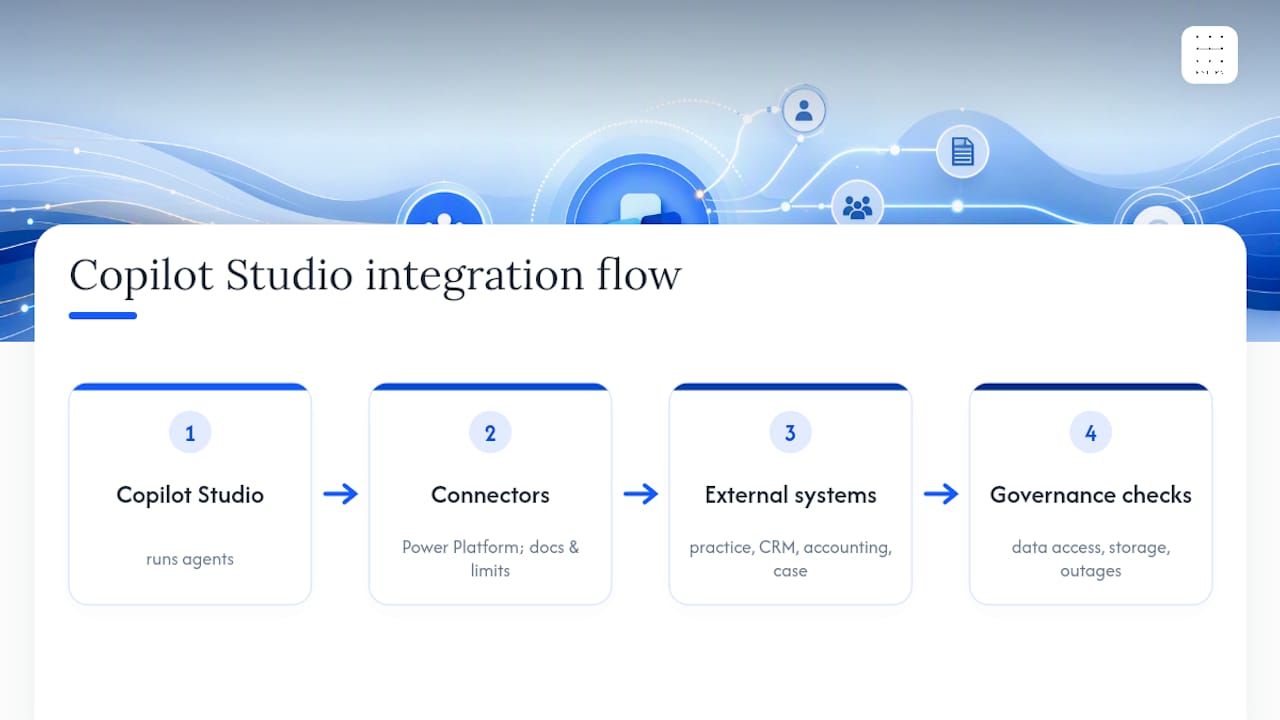
For document-heavy teams, this is where enrichment matters most. An agent handling client onboarding, for instance, might need to pull company data, verify identity records, or check market information from outside Microsoft’s ecosystem entirely. Tools like Prowl, which connects agents to a wide range of market-intelligence sources through a single protocol, illustrate the broader pattern: rather than building bespoke connectors for every data source an agent might need, firms are increasingly routing through aggregated connector layers that handle authentication and data formatting once.
Check third-party connectors as carefully as internal ones. Record the data each connector can see, where it stores that data and what happens if it fails during a transaction. Test those failure cases and document every external system the agent can reach before launch.
Getting staff to actually use the agent
Staff need to know what the agent is for, when to question an output and how to escalate it. Include those questions in the pilot, rather than treating adoption as a separate task after launch.
Start training by explaining what the agent will handle, what it will not and which decisions stay with a person. In a short live session, work through anonymised pilot cases, including an incorrect response, and show the team how the escalation works.
Give staff a simple way to flag a bad response. Have the escalation reviewer check those reports weekly during the pilot and show staff what changed. Use the reports to update training as well as the agent.
What is next for Copilot Studio and where the roadmap points
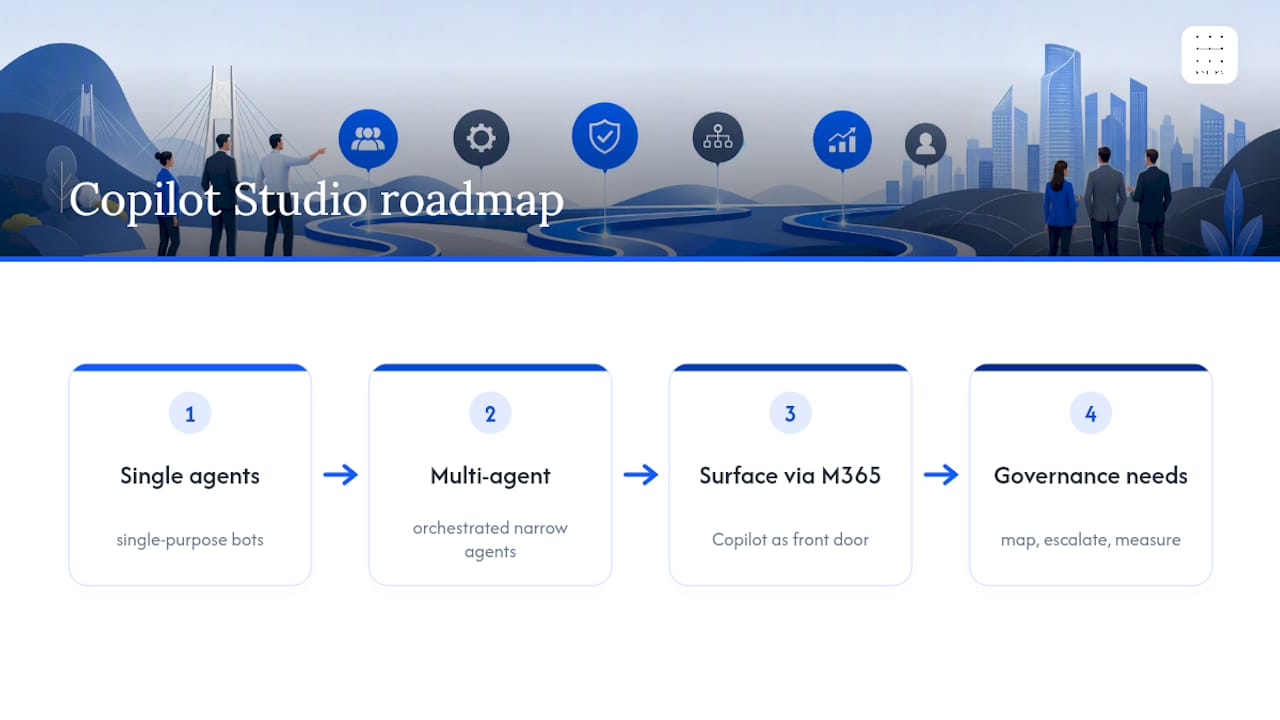
Copilot Studio is moving from single-purpose bots toward multi-agent orchestration, where several narrow agents each handle a specific step and hand off to one another, coordinated through frameworks like Agent 365. That shift raises the stakes on governance rather than lowering them: more agents means more hand-off points, more permission boundaries to define, and more places where an audit trail can quietly go missing if nobody planned for it.
Expect tighter integration with Microsoft 365 Copilot as the front door for most business users, meaning agents built in Copilot Studio increasingly surface inside tools staff already use rather than as a separate destination. For professional services firms, the practical implication is straightforward: the platform will keep getting more capable, but the discipline of mapping a workflow, defining escalation, and measuring against a baseline does not become optional as the tooling matures. If anything, it becomes more important, because a more capable agent given a badly scoped task fails in more expensive ways.
Pattrn Data’s take on safe Copilot Studio adoption
Every project we scope starts with mapping the actual workflow, not the tool. The Medical Survey Copilot case study worked because the agent gathered and flagged evidence; it never decided anything. Start smaller than feels ambitious, and instrument it properly, because you cannot fix what you never measured.
Rohit
How Pattrn Data helps you pilot Copilot Studio safely
We help firms adopt Copilot Studio by mapping workflows first, then building narrow agents fitting those workflows, with human review and audit trails integrated rather than added later.

Our work in this space runs from a fixed-scope AI Clarity Session to scope a safe first pilot, through to a Microsoft Copilot Clarity Session focused specifically on Copilot Studio workflow design, and full AI agent development for firms ready to build. If you are unsure where the risk actually sits before committing budget, our SME and enterprise audits give you a clear-eyed view of what to automate and what to leave alone. Start with one narrow, measurable pilot rather than an enterprise-wide rollout: book an AI Clarity Session and bring one workflow to the table.
Sources worth reading next
For the technical foundations, Microsoft’s own Copilot Studio fundamentals page and its agent business-value blueprints are the two most useful starting points. For governance grounded in a real deployment, Pattrn Data’s case studies and its guidance on ethics and review rules for automating client work cover the accountability questions Microsoft’s documentation does not.