
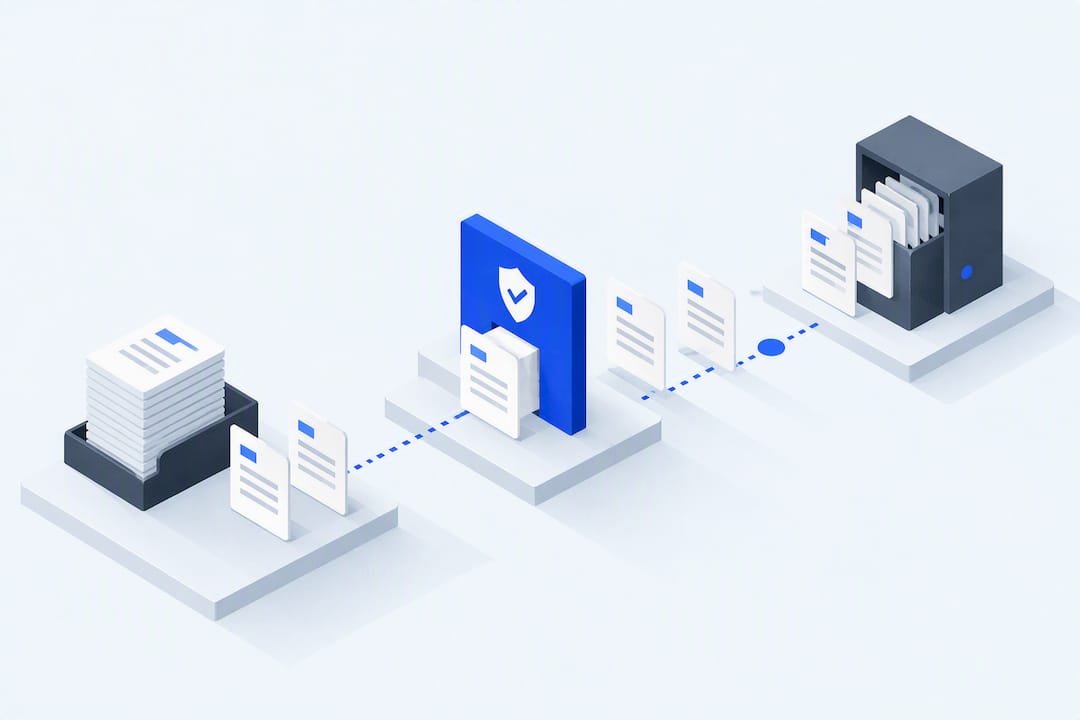
Document workflow automation moves files through defined review and approval steps. Start by mapping the real exceptions and owners, then test whether automated routing and reminders help without losing the record of who decided what.
TL;DR:
- Use the pilot to compare turnaround time, errors, consistency and record visibility with the existing process; do not assume an improvement before measuring it.
- High-volume workflows with clear decision rules, low political sensitivity, and well-defined ownership are best for pilots, such as client onboarding or invoice approval.
- Successful automation depends on designing exception handling, SLA triggers, and using tools that support durable audit logs and system integration.
- Mapping the actual workflow, setting KPIs, and running a small pilot before scaling is essential to avoid missed exceptions and unintended errors.
- Define access, version control, retention and exception handling, then test those controls. Their presence alone does not establish compliant automation.
Table of Contents
- What is document workflow automation and how does it work?
- Why automate document workflows: what’s the actual payoff?
- What are good examples of document workflow automation?
- How do you build a document workflow automation pilot?
- What governance rules keep document automation safe?
- How Pattrn Data approaches document workflow automation
- When is automation the wrong first move?
- Get a clear, governance-first automation plan from Pattrn Data
- Sources
- FAQ
What is document workflow automation and how does it work?
Document workflow automation routes a document through defined steps, with records of review and decisions. Map the handoffs, exceptions and storage requirements before configuring that route.
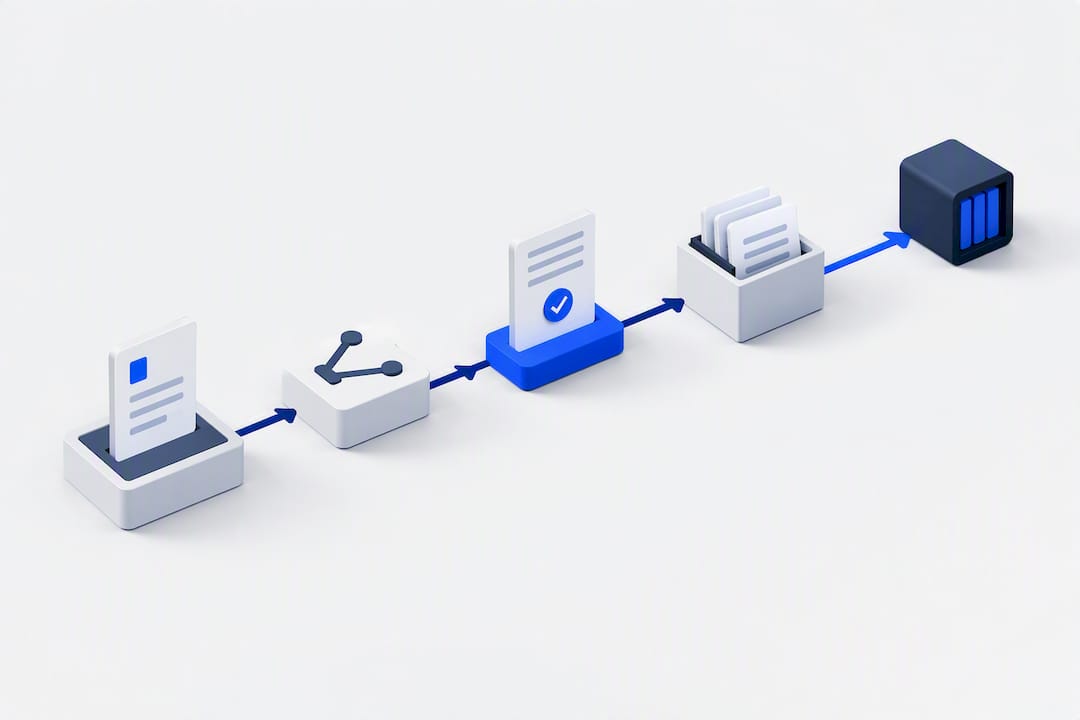
Every workflow needs five components. An intake or trigger starts the process, whether that’s a client uploading a file, a new contract being drafted, or an invoice landing in a shared inbox. A routing engine then decides who sees the document next. Reviewer actions capture approvals, rejections or comments. A signature or evidence step records the final decision, and a storage and audit trail locks the approved version with a permanent record of who did what, and when.
Routing typically follows one of three patterns:
- Sequential: one reviewer finishes before the next receives the document, for example where a partner reviews after an adviser.
- Parallel: several reviewers act at the same time; define which responses are needed before the workflow moves on.
- Conditional: the route changes according to a rule, such as an invoice amount that triggers a second approver.
Automation itself usually sits across a document management system, a workflow or business process engine, e-signature software, intake forms and, increasingly, OCR for extracting data from scanned files. A typical flow: a client uploads a contract draft, the system validates the file type and required fields, routes it sequentially through legal and finance, captures an e-signature, then archives the signed version with its approval history intact, exactly the creation-to-storage arc described in Box’s guide to document workflow automation.
Why automate document workflows: what’s the actual payoff?
A pilot can test changes in turnaround time, validation errors, consistency and record visibility. Compare the results with the existing process and examine missed exceptions. Logging an action does not establish that the process or decision is compliant.
None of that is worth pursuing without a way to measure it. Set KPIs before the pilot starts, not after:
- Cycle time: total time from submission to final approval.
- Time-to-approval: how long a document waits at each review stage.
- Exception rate: the percentage of documents that hit an unplanned path or require manual intervention.
- Percentage automated: the share of the workflow completing without human routing.
- SLA compliance: how often approvals land within agreed deadlines.
Measure the document pilot against its own turnaround time and exception rate. Do not use a network-automation forecast as a document-workflow adoption rate or proof of savings. For separate reading: Gartner forecasts
Map the exceptions as well as the standard route. Measure how often each occurs and who resolves it before deciding what share of the process to automate. Related reading to assess separately: AIIM’s research on information management adoption
What are good examples of document workflow automation?
Assess candidate workflows for volume, rule clarity, ownership and the consequences of error. Choose a scope whose exceptions the pilot can test, rather than treating any document type as inherently low-risk.
-
Client onboarding and document collection. The trigger is a new client signing up; the workflow validates uploads in real time, flags missing or malformed files, and can run initial format or fraud checks before a document ever reaches a human reviewer, an approach Inscribe’s automated collection research shows measurably reduces follow-up emails and correction cycles. The owner is usually operations; the pitfall is skipping validation and simply digitising a slow manual chase.
-
Contract and procurement approvals. Routing here is almost always conditional: contract value, counterparty risk or department determines who signs off. Signature capture closes the loop, and the approved contract archives alongside its approval record. The common mistake is letting legal review happen outside the workflow, in email, which breaks the audit trail the moment anyone asks for evidence.
-
HR onboarding and policy distribution. For the policy and roles in scope, who reviews a new starter pack, and who needs to acknowledge an update? Which version did each person acknowledge, and does the change require a fresh acknowledgement or approval? Agree the owner and routing rules, then test whether the pilot links each response to the relevant version.
-
Invoice approvals and purchase requests. Set routing thresholds from the firm's own approval policy. As a hypothetical example, a small invoice could need one reviewer and a larger one additional sign-off. Give disputed invoices a defined route back to the requester and test that route in the pilot.
-
Policy updates and regulated documentation. Which version is authorised for use, who approves a change, and when does the applicable procedure require re-approval? If a superseded copy remains in circulation, assess its use and consequences against the requirements that apply. Test whether the pilot identifies the current version and routes changes for the required review.
How do you build a document workflow automation pilot?
Map the process before setting software requirements. Include the people involved, exceptions and evidence needed at each handoff so the pilot tests more than the standard route.
-
Map the existing process end to end. Identify every actor, every decision point, every exception, where documents enter the process, and what evidence each step actually requires. Do this on paper or a whiteboard before opening any software.
-
Choose a high-impact, low-complexity pilot. Practical guidance on automation pilots consistently points to the same principle: pick the highest-volume, highest-friction workflow with the simplest decision rules. It proves value fast and meets less resistance than a workflow tangled in edge cases.
-
Design routing rules, SLAs, escalation paths and re-approval triggers. Decide who approves what, how long each stage has before it escalates, and precisely when a document needs a fresh round of sign-off, such as after a material edit.
-
Select tooling that fits your existing stack. Favour tools that support durable state and audit logging over ones that simply look modern. If your current systems (practice management, CRM, document store) already talk to each other, a minimal automation layer often beats a full platform replacement.
-
Test with real documents. Run the pilot in parallel with the existing manual process for a defined period, collect the KPIs set out earlier, gather feedback from the people actually using it, then iterate before scaling to a second workflow.
Pro Tip: Design exception handling before you design the happy path. Guidance on reliable, human-in-the-loop document approvals stresses that a workflow must persist its state across long waits, such as a client taking a week to sign, and through system restarts, so nothing resets or vanishes. Without that durability, one stalled approval sends the whole process back to email, and the audit trail you built the pilot to create disappears with it.
What governance rules keep document automation safe?
Define ownership, access, retention, exception handling and monitoring for the proposed workflow. Test how these controls behave when an approval stalls or the system fails.
- One owner, one controlled draft. Every document needs a single named owner and one version treated as the master copy; naming conventions and locking the final approved file prevent the classic “which version is current” problem.
- Role-based access controls. Reviewers see only what their role requires, exports are restricted, and sensitive documents are encrypted both in transit and at rest.
- A defined retention policy. Know how long each document type is kept and why, particularly where regulatory retention periods apply.
- Durable workflow state. The system must resume exactly where it left off after a long wait or an outage, rather than losing context or forcing a restart, a point Temporal’s guidance on reliable approvals makes directly.
- Explicit exception handling. Decide in advance whether a rejection returns to the requester, closes the request outright, or forces a fresh submission, and keep human review firmly in place for high-risk decisions.
- Logging and monitoring. Track stalled approvals actively; a document sitting untouched for a week is a signal worth flagging automatically, not discovering by accident.
Cogniver’s guidance on approval workflows recommends archiving the final approved file together with its approval summary as one immutable bundle, so a compliance check never involves hunting across three systems for evidence that should sit in one place.
How Pattrn Data approaches document workflow automation
For a document-workflow project, discuss the process map, data boundaries and human decision points before agreeing the pilot. Define the records to review during testing and the conditions for changing scope.
The Medical Survey Copilot Agent case study shows this in practice: a document-heavy survey process was automated for speed while human reviewers stayed responsible for every judgement call, with each decision logged so the process remained fully auditable rather than a black box.
A clarity session or audit typically leaves a client with:
- A mapped version of the actual workflow, exceptions included, not the idealised version everyone assumes happens.
- A risk checklist covering data boundaries, access controls and where human review needs to sit.
- A defined pilot scope with realistic KPIs, ready to test before anything is scaled.
When is automation the wrong first move?
Resolve unclear ownership, conflicting versions and undefined success criteria before relying on automated routing. Use the pilot to examine exceptions and check whether the proposed process is workable.
Map the process and the data sitting in disconnected systems before choosing a bounded pilot. Assess the consequences and applicable requirements for each step, including chasing, filing and reminders, rather than assuming that administrative work is safe to automate. Where that assessment supports a trial, test routing and reminders while keeping the required human decisions in place. Review errors and exceptions before deciding whether to extend automation.
Rohit
Get a clear, governance-first automation plan from Pattrn Data
Pattrndata is the alternative to guessing your way through a software purchase: instead of buying a platform and hoping it fits, you start with a mapped workflow, a named pilot, and a risk checklist before anything gets built.

That starts with an AI Clarity Session, a focused session that maps your document workflow, flags where exceptions and data risks sit, and scopes a pilot with real KPIs attached. For firms with document-heavy regulated processes already showing strain, an SME Audit or Established Business Audit (priced on the pricing page) goes deeper, covering the full risk and efficiency picture before any automation build begins. Teams wanting Copilot specifically applied to document routing can start with the Microsoft Copilot Clarity Session. Book the clarity session first; it’s the cheapest way to find out exactly what should, and shouldn’t, be automated.